
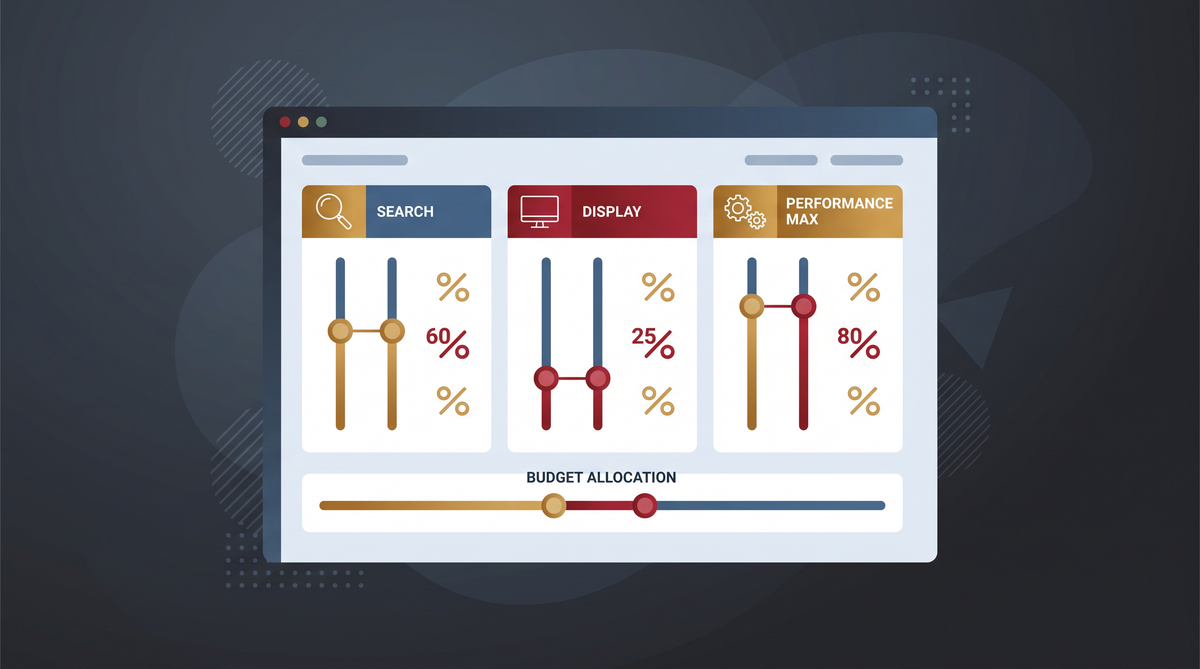
Google Ads is shipping two controls, Channel Prioritization and Budget Allocation, that let you cap how much of a campaign’s budget goes to any given channel. The feature set is not the story. The story is the default. Every channel in every campaign defaults to High priority when the controls launch. If you do nothing, your spend will shift between networks in ways you did not choose, and the one-click migration that Google offers to “maintain the current configuration” is not the configuration most agencies actually want.
The controls roll out globally across Search, Shopping, Performance Max, and Demand Gen over the coming months. Demand Gen testing starts in November. The legacy Display Network allocation in Search campaigns retires in February 2027. For every account running a Search campaign with the Display Network enabled, there is a specific setting to make before that date or the spending pattern will change on its own. That deadline is the reason this is an agency conversation, not just a platform update, and the three-question framework at the end of this article is what separates the accounts that are managed through the change from the ones that drift through it.
What The Two Controls Actually Do
Channel Prioritization lets you label each channel High priority or Low priority. Google funds the High priority channels first, then moves remaining budget to the lower-priority inventory, still working toward the campaign’s Target CPA or Target ROAS. For a Search campaign, that means you can prioritize Google Search and put Search Partners or the Display Network in the lower tier. For Performance Max and Demand Gen, Google groups its owned channels together, Search, YouTube, Discover, Gmail, and Maps, so you cannot prioritize those placements individually.
Budget Allocation adds the percentage layer. You set a limit on how much of the daily budget can go to a lower-priority channel. The example Google used in the roundtable: test Search Partners without letting it take a large share of the Search budget. Set it to Low priority, cap it at 20 percent of the daily budget. The 0 percent option is also available, which is a hard exclusion of a channel or channel grouping, including within Performance Max, which is the first time the PMax group has had an exclusion option at all.
Two caveats shape how you use the controls. The first is that the percentage limits are best-effort, not hard caps. Google said it will try to stay within them, and the practical read is that the cap is a steering signal, not a wall. The second is that for campaigns that are not budget-constrained, channel prioritization alone will not change much. The bidding system is already optimizing toward the target, and the percentage limit is the control that matters when there is enough budget to spend across all channels. The two controls are doing different jobs, and the account that is not budget-constrained needs the percentage limit, not the priority label.
Feb 2027
The legacy Display Network allocation in Search campaigns retires. Google recommends Display Network set to Low priority with a 50 percent budget allocation to maintain the current configuration. Accounts that do not make that change will see their Display spend shift to the new default, which is High priority across all channels.
The Default That Changes Everything If You Ignore It
Google confirmed in the roundtable that every channel will default to High priority when the controls launch. That means an account that does not touch the settings is not maintaining the status quo. It is moving to a state where Search Partners, the Display Network, and every owned channel in PMax are all competing for the full budget with equal priority. The legacy behavior, where Search was prioritized over Display in a Search campaign, will not carry forward automatically.
The one-click migration option exists to preserve the current configuration, and Google’s own recommendation is to use it if you want to keep the existing spending pattern. Specifically: set the Display Network to Low priority with a 50 percent budget allocation, which is the setting that reproduces the pre-change behavior for a Search campaign with Display enabled. The migration is one click, but the click has to be deliberate. An account manager who clears the migration queue without reading what it is preserving, or who assumes the default is the status quo, is the account that wakes up in February 2027 to a spend pattern it did not choose.
For the agency book of business, this is a checklist item with a date. Pull every Search campaign with the Display Network enabled. Confirm the migration setting is set to the recommended 50 percent cap before February 2027. Document the setting in the account notes so the next account manager inherits the decision, not the surprise. The whole exercise takes an hour per account and the cost of skipping it is a spend shift that shows up in the client’s March report as a CAC increase the agency has to explain.
What Performance Max Actually Gives You And What It Does Not
The PMax controls are real, and they are also more limited than the announcement implies. The owned channels, Search, YouTube, Discover, Gmail, and Maps, are grouped into a single unit. You cannot prioritize Search over YouTube inside a PMax campaign, or cap the Discover spend separately from the Maps spend. The channel priority and the budget allocation apply to the group, not to the individual placements inside it.
What the 0 percent option changes is the exclusion question. Until now, a PMax campaign was all-or-nothing on the owned inventory. You ran the whole group or you did not run PMax. The 0 percent cap is the first mechanism that lets you say “we will run PMax, but not on YouTube,” which is the conversation a lot of clients have been having with their agency for a year without a clean answer. The limitation is that the cap is best-effort, so the exclusion is a strong signal, not a hard block, and the account that needs a true exclusion still has to make the case for a separate campaign structure.
Google is running a separate, small alpha experiment with more advanced PMax channel controls, and the product team confirmed that both feature sets will operate alongside each other while the testing continues. The practical implication is that the group-level control is the current answer and the granular control is the next one, and the account that is built for the granular control now will have to restructure again when it ships. The group-level control is the decision to make this quarter. The alpha is the one to watch for the next one.
The Three-Question Framework Before You Touch A Priority
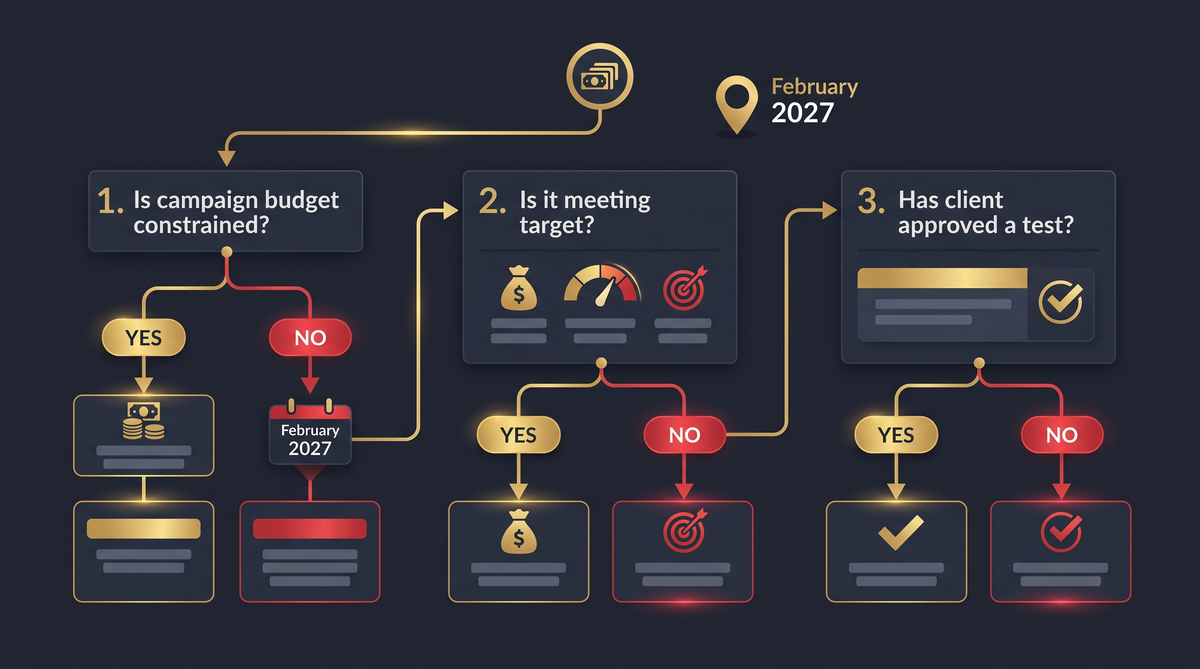
The instinct after a feature announcement is to start moving settings. The three questions that stop the account from moving in the wrong direction are the ones the framework is built around, and they run in a specific order because each one changes the answer to the next.
Question 1: Is the campaign budget-constrained?
If the campaign is not spending its full budget, the channel priority will not change much, because the bidding system is not being forced to choose between channels, it has room to work across all of them. The percentage limit is the control that matters for a non-budget-constrained campaign, because it is what keeps a specific channel from taking a large share of the available budget. For a budget-constrained campaign, the priority label is the control that matters, because the algorithm is choosing where to spend the fixed budget, and the High priority label is what steers that choice.
Question 2: Is the campaign meeting its target CPA or ROAS?
If the campaign is meeting target, the case for touching the channel settings is weak. Restricting inventory removes opportunities the bidding system is currently using to hit the target, and the CAC that is stable now is the CAC the channel mix is producing. The change is only worth making if the client has a specific channel-quality reason, a documented concern about Search Partners traffic, a YouTube spend that is not converting, that justifies the restriction. The framework answer for a meeting-target campaign with no specific channel concern is: do not change it, and document the reason so the next review does not start from scratch.
Question 3: Has the client explicitly approved a channel test?
The percentage limit is a testing tool, and testing requires a client sign-off that specifies the channel, the cap, and the duration. A 20 percent Search Partners cap for 30 days is a test the client can approve in writing. An undocumented cap that shows up in the next report as “we limited Display spend” is a decision the client did not make and will question. The framework is what separates the managed change from the drift, and the client sign-off is the artifact that makes the managed change defensible in the next renewal conversation.
| Question | What you check | What the answer means |
|---|---|---|
| 1. Budget-constrained? | Is the campaign spending its full daily budget? | Yes = priority label matters. No = percentage limit matters. |
| 2. Meeting target? | Is CPA/ROAS within target over the last 30 days? | Yes + no channel concern = do not change, document. |
| 3. Client approved a test? | Is there a written sign-off for the specific cap and duration? | Yes = deploy. No = hold until the sign-off exists. |
The feature is a control. The default is a change. The agency that treats the default as a decision to be made, not a state to be inherited, is the agency whose accounts are managed through February 2027 instead of drifting through it.
What The Reporting Gaps Mean For The Next Two Quarters
Performance Max already has channel-level reporting, so the PMax side of the decision is visible now. Search is the gap. Google indicated that expanded channel reporting for Search is expected in the first quarter of 2027, and until then the existing network segmentation is the working view. For the agency account that is making a channel decision on a Search campaign in Q4, the reporting is the constraint: the decision is being made with the current network segmentation, and the channel-level view that would confirm the decision is not available for another two quarters.
Google also plans to introduce account-level budget allocation insights to help advertisers evaluate their settings. That is the tool that will tell you whether the caps you set are actually binding, or whether the campaigns are not coming close to them. The practical sequence is: make the channel decision this quarter with the current reporting, set the caps, and check the allocation insights when they ship to confirm the caps are doing what they were set to do. The decision and the verification are two different moments, and the account that conflates them is the account that sets a cap in Q4 and has no way to confirm it is working until Q1.
Common Mistakes When Adopting The New Controls
Assuming the default is the status quo. It is not. The default is High priority across all channels, and the legacy Display prioritization will not carry forward automatically. The one-click migration is the mechanism that preserves the current pattern, and skipping it is how the spend shift happens.
Setting caps on campaigns that are meeting target with no channel concern. The caps remove inventory the bidding system is currently using to hit the target. The three-question framework exists to stop this. The answer for a meeting-target campaign is do not change it, documented.
Treating the percentage cap as a hard exclusion. It is best-effort. For a true exclusion, the 0 percent option is the control, and even that is a strong signal inside a best-effort system. The account that needs a hard block has to make the case for a separate campaign structure, not a cap on the existing one.
Making the channel decision without the client sign-off. The percentage limit is a testing tool, and the test requires the written approval that specifies the channel, the cap, and the duration. The undocumented change is the one that shows up in the client’s report as a question, not a decision.
Waiting for the Search channel reporting to make the decision. The reporting ships in Q1 2027. The February 2027 Display allocation retirement does not wait for it. The decision has to be made now with the current network segmentation, and the Q1 reporting is the verification step, not the decision step.
FAQ

What is channel prioritization in Google Ads?
Channel Prioritization is a control that lets you label each channel in a campaign as High priority or Low priority. Google funds the High priority channels first, then moves remaining budget to the lower-priority inventory, still working toward the campaign’s Target CPA or ROAS. For Search campaigns, that means prioritizing Google Search over Search Partners or the Display Network. For Performance Max and Demand Gen, the owned channels are grouped together, so the priority applies to the group, not to individual placements.
How do I limit Display Network spend in a Search campaign?
Set the Display Network to Low priority and apply a Budget Allocation cap, for example 50 percent of the daily budget, which is the setting Google recommends to maintain the pre-change behavior for Search campaigns with Display enabled. The cap is best-effort, not a hard wall, so treat it as a steering signal. The 0 percent option is available if you want to exclude the Display Network entirely from the campaign’s spend.
Does the 0 percent budget allocation mean a hard exclusion?
It is the strongest exclusion option available inside the Budget Allocation control, and it is the first time a PMax channel grouping has had an exclusion option at all. Google describes the percentage limits as best-effort, so the 0 percent is the maximum signal the control can send, not a technical block that the crawler cannot override. For a true hard block, the account structure is the mechanism, not the cap.
When does the legacy Display allocation retire, and what happens if I do nothing?
The legacy Display Network allocation setup retires in February 2027. If you do nothing, the new default applies, which is High priority across all channels, and the Search-over-Display prioritization that currently happens behind the scenes will not carry forward automatically. The one-click migration option preserves the current configuration, and Google’s recommendation is to set the Display Network to Low priority with a 50 percent cap before the retirement date to maintain the existing spending pattern.
Will the new controls change my PMax spend on YouTube and Discover?
Not individually. Performance Max’s owned channels, Search, YouTube, Discover, Gmail, and Maps, are grouped into a single unit under the new controls. You can set the group’s priority and cap the group’s spend, but you cannot prioritize Search over YouTube or cap Discover separately from Maps. Google is running a small alpha experiment with more granular PMax channel controls, and the two feature sets will operate alongside each other while the testing continues.
Where Verified Leads Fit For The Budget-Control Conversation
Every channel-priority decision ends in the same client conversation: “what does the new spend pattern do to the pipeline, and can we afford the test?” The agency that has the verified lead pipeline running alongside the campaign decision is the agency that can answer that question with a number, not a projection. The cap is set, the test runs, and the lead flow is the thing the test is actually measuring.
Verified leads compress the measurement step for the channel test. You get leads whose email and phone a human has checked, so the channel decision is evaluated on the pipeline it produces, not on the spend report alone. Exclusive, internet-verified leads close at 6 to 12 percent against 1 to 3 percent on a cold list, which is the difference between a channel test that tells you something and one that produces a spend report and a shrug. Read more about how verified B2B leads work.
The math on the decision side is the same as on any structural change: the cost is an hour of account work per Search campaign, and the payoff is a spend pattern that is managed instead of inherited. The real risk is the follow-through. A channel decision that produces a stable spend pattern into a cold-list outreach system still has a cold-list close rate. See our PPC lead packages or our automation lead packages for the pipeline that matches the managed campaign.
Want a sample before you commit?
Ask us for a free sample list of verified leads in your niche. You review the data quality before you spend anything.
LeadPot delivers qualified leads for agencies that need predictable pipeline. See how PPC agencies find qualified leads or explore our digital marketing lead packages.